
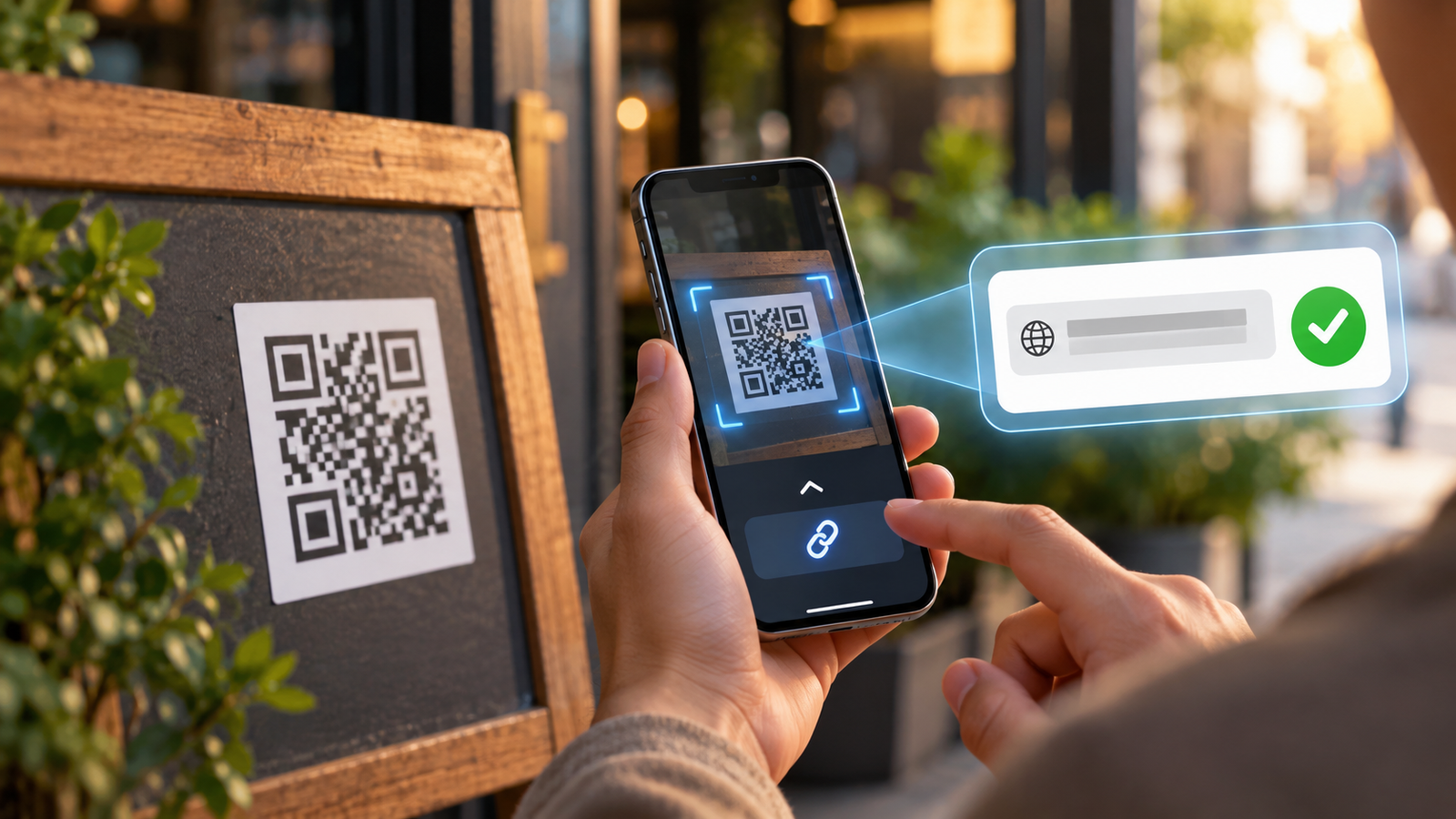
QR codes are everywhere, from restaurant tables and parking meters to product packaging, concert tickets and online messages. Most of the time, scanning one is a quick way to open a website or access information without typing anything into your phone.
But how can you tell whether a QR code is safe before following the link?
The answer is not to stop scanning QR codes altogether. It is to understand what your smartphone is showing you and recognise the warning signs that deserve a closer look.
QR code safety begins with an important distinction: reading a QR code, opening its destination and entering information on the resulting website are different actions, with different levels of risk.
A code might lead to a legitimate service, a misleading advertisement or a fraudulent page designed to steal passwords and payment details. Fortunately, iPhone and Android users already have tools that can help them examine a destination before deciding whether to continue.
What actually happens when you scan a QR code?
A QR code is a machine-readable pattern that stores information. That information is often a website address, but QR codes can also contain text, contact details, Wi-Fi connection information and instructions associated with supported applications.
When you point a compatible smartphone camera at a code, the phone decodes that information and presents an available action.
For a website QR code, this commonly means showing a tappable link. The important detail is that recognising the code and choosing to open the website are not necessarily the same step.
On supported devices, you can inspect the link before opening it. That gives you an opportunity to check whether the destination matches the business, product or service you expected.
The Canadian Centre for Cyber Security recommends configuring devices to request confirmation before performing QR-based actions rather than automatically executing them.
That distinction is useful because a QR code is only a way of delivering information. It does not guarantee that the information comes from a trustworthy source.
How to check a QR code on an iPhone
Apple includes QR scanning directly in iOS, so there is usually no reason to install a separate application.
According to Apple’s official instructions, you can open the Camera app, point it toward a QR code and wait for the phone to recognise it. The camera displays a link that you can tap to open the associated destination.
For website links, take a moment to examine the displayed address before opening it. If the preview is abbreviated or difficult to identify, do not assume that the destination is legitimate simply because the camera recognised the code.
You can also use the Code Scanner available through Control Center. Depending on your current iOS layout, you may need to add that control before using it.
Both methods rely on tools already provided by Apple. The benefit is not that the built-in scanner can certify every website as safe, but that you do not need to give an unfamiliar third-party app access to your camera merely to read a QR code.
If the destination appears suspicious, simply avoid tapping the link and use a known official website or application instead.
How to check a QR code on Android
Android phones also provide built-in QR scanning, although the exact interface varies depending on the manufacturer and software version.
On Google Pixel devices, the Camera app can recognise QR codes and display a link or notification on the screen. Google’s Pixel Camera documentation also explains that users can access a QR scanner through Quick Settings or use Google Lens.
Other Android phones may include a dedicated QR mode in their camera software, a scanner in Quick Settings or similar functionality through Google Lens.
The practical approach is the same regardless of the interface: point your phone toward the code, wait for the destination to appear and examine the address before opening it.
If your camera does not recognise QR codes, check whether QR scanning is supported and enabled in the camera settings. You can also use Google Lens where available.
Google’s Camera from Google documentation confirms that supported devices can recognise QR codes directly in the camera interface and display an appropriate action.
The exact buttons may differ, but the security principle remains consistent across Android devices: decoding a code should give you an opportunity to make an informed choice about the next action.
What if the QR code is already on your phone’s screen?
Not every QR code appears on a physical object. You might receive one through email, a messaging app, a PDF document or a screenshot shared by someone else.
This creates an obvious practical problem: how do you scan a code when it is displayed on the same smartphone you are using?
On Android, one option is to save the image and open it with Google Photos. Google Lens can analyse an existing image and recognise relevant information without requiring you to point the camera at another screen. Google documents this capability in its Google Photos support guide.
Google Photos also supports Lens on iPhone, although the available experience depends on which applications you have installed and their current versions.
However, it is worth asking whether you should scan the image in the first place.
If an unexpected email claims that your account must be verified immediately and displays a QR code instead of an ordinary login link, there is no need to decode it simply out of curiosity.
The safer choice is often to open the company’s known official app or enter its recognised website address yourself.
Check the web address, not just the name shown around the code
The most useful QR code safety habit is checking where the link actually leads.
A code might be printed next to a recognised business logo, placed inside professional-looking packaging or displayed on equipment that appears official. None of those details independently proves that the encoded destination belongs to that organisation.
When the QR scanner shows a website address, examine the domain rather than relying only on the surrounding design.
Look for misspelled brand names, substituted letters, unnecessary words or an address that belongs to an unfamiliar service.
A particularly important detail is that a familiar brand name appearing somewhere inside a long URL does not automatically mean the website belongs to that brand.
For example, a link can contain a well-known company name as part of a longer address while actually belonging to an unrelated domain.
If the address is unfamiliar, unclear or inconsistent with the service you expected, avoid opening it until you can verify the destination independently.
The US Federal Trade Commission recommends inspecting QR link previews and checking for misspellings or switched letters before proceeding.
A padlock or HTTPS connection does not prove the website is legitimate
People sometimes assume a website is trustworthy because its address begins with HTTPS or their browser displays a secure-connection indicator.
HTTPS is important because it helps protect information transmitted between your browser and the website. However, it does not establish that the website belongs to the business it claims to represent.
A fraudulent website can also use HTTPS.
That means a convincing payment page with a secure connection can still be operated by a scammer.
For QR code safety, the critical question is not only whether the connection is encrypted, but whether you have reached the correct organisation in the first place.
A recognised official domain is therefore a more useful identity clue than a padlock icon alone, although domain recognition itself is not an absolute security guarantee.
If the page asks for particularly sensitive information, such as a banking password or payment credentials, verifying the organisation through another trusted channel is often the better option.
Be careful with shortened links and unexpected redirects
Some QR codes lead to short web addresses that redirect to a longer destination.
There are legitimate reasons for this. Businesses use redirect services to manage campaigns, update landing pages and track interactions without changing printed codes.
But shortened links also make it harder to know the eventual destination simply by reading the initial address.
A QR code might display an unfamiliar short domain before sending the browser elsewhere. Even a link that initially appears reasonable can redirect to a different website.
This does not make every shortened URL malicious, but it limits how much certainty the initial preview can provide.
When the code is associated with a payment, login or other sensitive task, using the service’s official website or app directly may be preferable to following an unfamiliar redirect.
And once the page has opened, check that the final website still matches the destination you intended to visit.
Look for stickers covering existing QR codes
Some QR code scams do not require hacking a website or compromising an application.
Instead, someone physically replaces the code.
A fraudulent sticker placed over a legitimate QR code can redirect users toward a fake website while leaving the surrounding sign, payment machine or advertisement unchanged.
This has been reported in public parking environments. In September 2026, the FTC warned that scammers had been placing fraudulent QR stickers over legitimate codes on parking meters, potentially directing drivers toward websites designed to collect payment information.
Before scanning a code on publicly accessible equipment, look for signs of tampering. An extra label, unusually thick sticker, mismatched printing or code placed over another design can be a reason to investigate further.
Of course, not every replacement sticker is fraudulent. Businesses sometimes legitimately update their QR codes.
The important point is that a suspicious physical alteration should prompt verification rather than an automatic scan.
If you are uncertain, ask an employee or use the organisation’s official payment instructions.
Treat QR code payments with extra care
QR-based payments can be convenient because they shorten the path between identifying a service and completing a transaction.
But payments deserve stronger verification than ordinary information pages.
Imagine paying for parking through a QR code attached to a meter. The website that opens looks convincing, displays a payment form and asks for your card details. If the original code was replaced, the transaction may not be connected to the legitimate parking operator at all.
Before entering financial information, confirm that the destination matches the service provider and that the request is consistent with the transaction you intended to make.
If the provider offers a recognised payment application, an official website or another established payment method, those alternatives can be useful when the QR destination is unclear.
The same caution applies to codes associated with donations, public events, invoices and other situations where money is involved.
Scanning a fraudulent code does not automatically transfer money from your account. The serious risk often emerges when you enter financial information, approve a payment or follow deceptive instructions.
Be especially suspicious of QR codes in unexpected messages
An unfamiliar QR code inside an email or text message deserves more caution than a code displayed in a familiar and controlled environment.
Fraudulent messages may claim that a delivery failed, an account requires immediate verification or an outstanding payment must be completed.
Instead of providing a conventional link, the sender asks you to scan a QR code.
This technique is commonly known as quishing, or QR code phishing.
The UK’s National Cyber Security Centre warns that QR-based phishing can be particularly problematic when users scan an image on a work computer with their personal smartphone, moving the interaction away from some workplace security protections.
The warning signs are similar to ordinary phishing: unexpected urgency, requests for credentials, suspicious sender details or instructions that discourage you from independently verifying the message.
If a company claims your account needs attention, open its official app or website rather than using an unexpected QR code to reach the login page.
This is particularly important for work accounts, email services and financial applications.
Watch what the website asks you to do after scanning
Even when a QR code looks legitimate, the resulting website can provide additional clues.
A restaurant menu should not normally need your email password. An information page about a public attraction should not unexpectedly require you to install an unfamiliar application, and a simple promotional offer should not automatically justify collecting extensive personal or financial information.
Context matters.
If the destination makes a request that seems unrelated to the reason you scanned the code, consider stopping the interaction.
Other warning signs include pressure to act immediately, requests to download files from unfamiliar sources, unexpected authentication prompts and pages whose branding or web address does not match the organisation they claim to represent.
Some legitimate services do require sign-in, payment or app installation. The issue is not the existence of those actions, but whether they are expected, necessary and associated with a trustworthy provider.
When something does not make sense, returning to the official website is usually more useful than trying to determine whether a convincing-looking page is genuine.
You usually do not need a separate QR scanner app
Modern iPhones and many Android devices already provide QR recognition through built-in camera software or established tools such as Google Lens.
Installing a random QR scanner from an app store is therefore often unnecessary.
The UK’s National Cyber Security Centre specifically recommends using the QR scanner supplied with your phone instead of downloading an additional scanner application.
This reduces the need to grant camera access and potentially other permissions to software that serves little purpose beyond a feature your phone already offers.
It is also important to understand what a scanner can and cannot do.
A built-in camera can decode a QR code and display its contents, but it cannot guarantee that every website behind a recognised code is trustworthy.
Security depends on both the technology you use and the decisions you make after the code has been read.
What should you do if you already scanned a suspicious QR code?
The appropriate response depends on what happened after the scan.
If your camera simply recognised a QR code and displayed a preview that you never opened, the situation is generally much less concerning than entering information into a fraudulent website.
If you opened the link but did not provide credentials, authorise anything or install software, the risk is usually lower than if you took one of those further actions. Close the suspicious page, avoid interacting with it and make sure your browser and device software are up to date. Opening a page is not entirely risk-free, but it also does not mean your phone has automatically been compromised.
If you entered a password, go directly to the affected service through its known official website or application and change that password. Review account activity, enable multi-factor authentication if it is not already active, and change the password anywhere else you reused it. Where the service supports it, review active sessions and sign out unfamiliar devices.
If you entered payment details or approved a suspicious transaction, contact your bank or payment provider promptly through an official channel. Ask about protecting the affected payment method, review recent transactions and follow the provider’s fraud-response instructions.
If you installed an unfamiliar application or granted unexpected permissions, stop using the suspicious app, review its permissions and follow appropriate device-security guidance. Seek professional assistance if you notice signs of compromise or are uncertain how to secure the device.
The FTC’s scam recovery guidance distinguishes between different forms of exposure because the right response depends on what information or access was actually given to the scammer.
The most useful question is therefore not simply whether you scanned the code, but what you opened, entered, installed or approved afterward.
Should you avoid QR codes in restaurants, events and public places?
QR codes remain useful for everyday services, and there is no reason to assume that every one of them is fraudulent.
The UK’s National Cyber Security Centre notes that QR codes in familiar restaurants and pubs are generally likely to be safe, while public spaces such as parking areas and stations can present greater opportunities for tampering.
That is a useful distinction, but not an absolute rule.
A code in a restaurant can still be altered, and a code in a public space can be entirely legitimate.
The appropriate level of caution depends on the circumstances. A code displayed within an official application is different from an unfamiliar sticker on an unattended sign. A public information page is different from a payment or account-verification request.
Rather than treating QR codes as either universally safe or universally dangerous, evaluate the destination and the action it asks you to perform.
A small amount of attention is usually more practical than avoiding the technology altogether.
QR code safety is part of a bigger trust problem
The practical steps above are connected to a wider change in how people experience everyday technology.
The published Athens Pulse article, “Why Scanning a QR Code No Longer Feels Completely Harmless” explored why an interaction that once felt almost automatic now sometimes invites a second thought.
From the business side, Targeted.gr examined how that hesitation affects branded campaigns in “The Trust Problem Behind QR Code Marketing” The ability to recognise an official destination matters when customers are scanning packaging, posters and promotional materials.
Meanwhile, Market Insiders.gr examined the organisational implications in “Quishing Turns a Simple QR Code Into an Operational Risk” focusing on workplace credentials, physical tampering, payments and operational responsibility.
For the smartphone user, these issues ultimately lead to a much simpler decision: what should you do when the camera recognises a code but you are not entirely certain about its destination?
The practical answer is to use the tools already available on your device and take the extra moment needed to evaluate the link.
A safer QR code habit takes only a few seconds
Most QR interactions do not require complicated security procedures.
When you encounter a code, consider where it came from and whether the context makes sense. Let your phone read it, examine the available destination information and decide whether opening that address is appropriate.
If the resulting page unexpectedly asks for passwords, payment details or permissions, verify the service before continuing. When possible, use a known official website or app rather than relying entirely on an unfamiliar QR destination.
This approach fits the practical smartphone guidance explored at Techrow.gr: understanding the features already built into your device can be more useful than adding unnecessary applications or reacting to every unfamiliar interaction with alarm.
The important difference is between scanning a code and trusting everything that happens afterward.
A QR code is a shortcut, not a certificate of authenticity.
And the safest habit is a simple one: check where the shortcut leads before deciding to follow it.
Frequently Asked Questions
How can I check if a QR code is safe?
Use your phone’s built-in scanner and inspect the destination before opening it. Check that the domain matches the expected organisation, look for signs of physical tampering and avoid unexpected requests for sensitive information. No visual check can guarantee safety, but these steps help identify suspicious interactions.
Can scanning a QR code hack my phone?
Reading a QR code does not normally compromise a modern, updated smartphone by itself. Risks can arise from malicious destinations, software vulnerabilities, harmful downloads or actions taken after scanning. Keeping your phone updated helps reduce exposure.
Can I preview a QR code link without opening it?
Yes, many iPhone and Android scanning interfaces display a link that you can examine before choosing to open it. The available preview and controls depend on the device, application and QR content.
How do I scan a QR code safely on iPhone?
Open the Camera app, point it toward the code and examine the displayed link before tapping it. You can also use Apple’s Code Scanner through Control Center. Avoid following unfamiliar destinations without checking their purpose.
How do I check a QR code on Android?
Use the camera’s built-in QR functionality, Google Lens or a supported QR scanner in Quick Settings. The exact method depends on the phone. Review the displayed destination before opening it.
Can a QR code lead to a fake banking website?
Yes. Fraudulent QR codes can redirect users toward websites that imitate legitimate financial services. If a page unexpectedly requests banking credentials or payment details, access the bank through its known official app or website instead.
Is a QR code safe if the website uses HTTPS?
Not necessarily. HTTPS protects the connection to a website but does not prove that the website belongs to a legitimate organisation. Fraudulent websites can also use encrypted connections.
What are the signs of a fake QR sticker?
Possible warning signs include a new sticker covering an existing code, inconsistent printing, unexpected labels or physical alterations. These signs are not definitive proof of fraud, but they are good reasons to verify the code with the organisation responsible for the location.
Can a QR code automatically charge my bank account?
Simply reading a normal QR code does not ordinarily authorise a payment. However, some QR-based flows can open payment applications or lead users toward requests to approve transactions. Always verify the recipient and amount before authorising payment.
What if I scanned a malicious QR code but did not click anything?
If the code was only decoded and you did not open a website or approve another action, the risk is generally low. Keep your device updated and avoid interacting further with the suspicious destination.
What should I do if I entered my password after scanning?
Change the password through the service’s official website or app, review account activity, enable multi-factor authentication and secure any other accounts using the same password. If the affected account belongs to your employer, notify the appropriate IT or security team promptly.
Do I need an antivirus app to scan QR codes safely?
Not necessarily. Modern phones include built-in QR scanning and operating-system security protections. Additional security tools can have specific uses, but installing a separate scanner does not automatically make QR codes safe. Understanding the destination remains essential.