
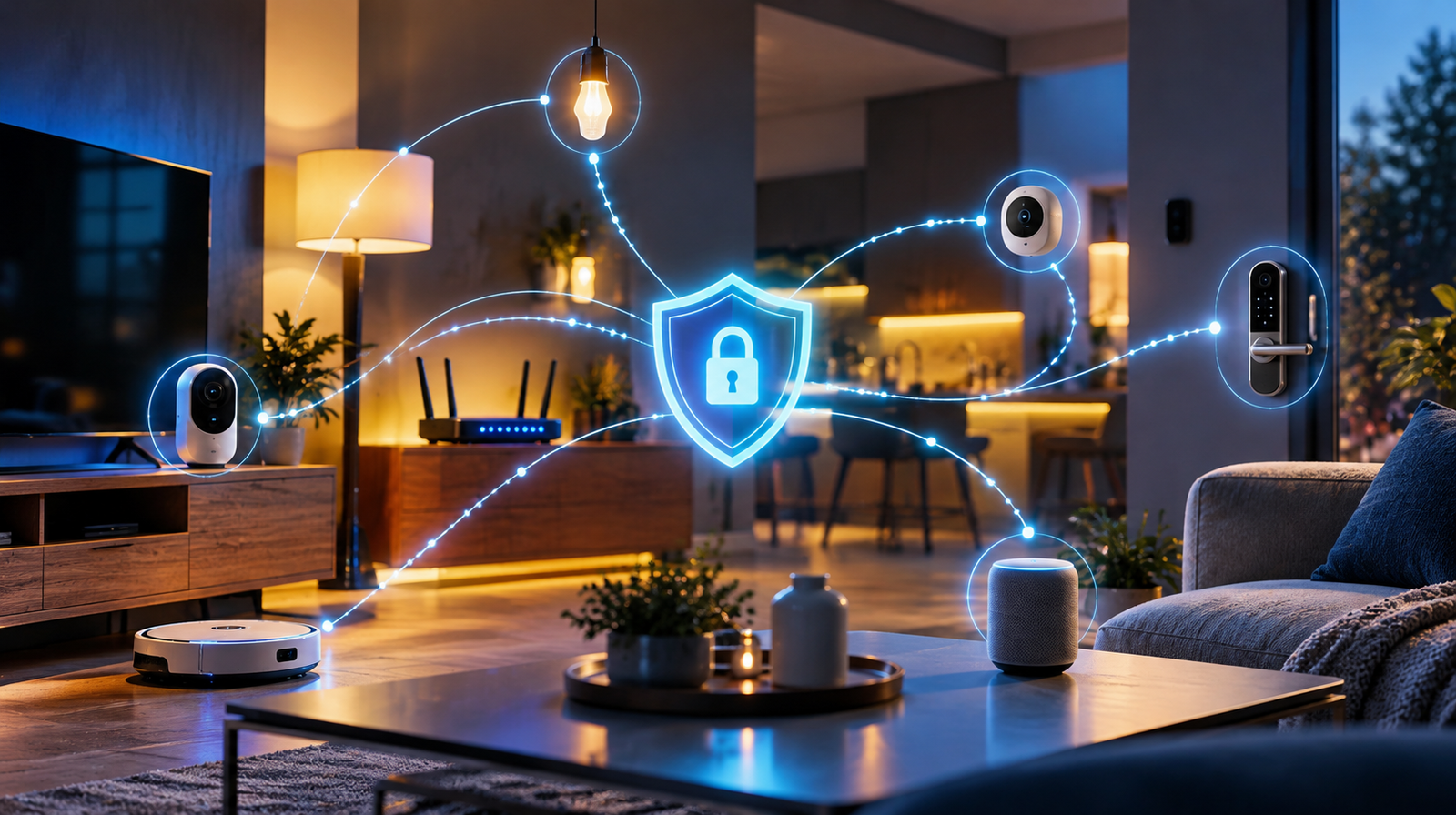
A smart camera may promise crystal-clear video, a Wi-Fi router may advertise faster connections, and a smartwatch may offer dozens of useful features. But before buying any connected device, there is another question worth asking: how long will the manufacturer keep it secure?
Smart device security updates help address vulnerabilities that may be discovered months or years after a product launches. Yet update policies vary between manufacturers, product categories and even different versions of the same device. A product can continue working normally long after its official security support has ended.
So how can you check a device’s security lifespan before spending your money? From Google Pixel and Samsung Galaxy smartphones to Amazon Echo devices and TP-Link routers, this Techrow.gr guide explains where to find official support information, how to interpret update policies and which warning signs deserve attention before purchasing connected technology.
Why Security Support Matters When Buying a Smart Device
When comparing technology products, most buyers concentrate on hardware specifications.
A router’s Wi-Fi speed, a security camera’s resolution or a smartwatch’s battery life can influence the final decision.
These characteristics are important, but they describe only part of the ownership experience.
Connected devices rely on software and firmware to perform their functions. Like other software, these systems may contain vulnerabilities that become known after the product reaches customers.
Manufacturers release security updates to address relevant weaknesses, improve protection and respond to newly discovered threats.
However, receiving these updates depends on the manufacturer’s support policy and the technical capabilities of the product.
Consider a router that continues providing Internet access five years after purchase.
The hardware may still be fully operational. Yet if the manufacturer no longer develops security patches, newly discovered vulnerabilities might remain unresolved.
A similar situation can affect connected cameras, smart TVs, streaming devices and other smart home equipment.
This is why the security lifespan of a product deserves attention alongside its expected physical lifespan.
A device that still works is not necessarily a device that is still securely maintained.
Before buying, the goal is to establish whether the manufacturer provides security updates, how long that commitment lasts and how users receive those updates.
Step 1: Identify the Exact Model and Hardware Version
The first step is surprisingly easy to overlook.
Before checking a manufacturer’s support policy, confirm the product’s exact model number.
Commercial product names are not always specific enough.
A company may release several generations of a smart camera under similar names. A router can also receive hardware revisions without a major change to its appearance or branding.
These differences can affect firmware compatibility and support information.
Why Router Hardware Revisions Matter
TP-Link provides a useful example.
Its products can have hardware versions identified by labels such as V1, V2 or V3.
The company explains that the hardware version is normally printed on the product label, often on the bottom or back of the device.
According to TP-Link’s official hardware identification guide, the correct hardware version is essential when selecting compatible firmware.
Different hardware revisions may require different update files.
Using firmware intended for another revision can cause compatibility problems and, in some cases, damage the device.
The region also matters.
Firmware distributed for one regional version may not be suitable for a device sold in another market.
What to Check Before Purchasing
Look for the complete model number on the manufacturer’s product page, the packaging or the retailer’s listing.
For routers and similar equipment, identify the hardware revision whenever possible.
If an online listing only provides a general product family name, contact the seller and request the exact model and revision.
This becomes particularly important when buying refurbished equipment or older stock.
Once you have the correct model, you can search for the corresponding support information without accidentally examining the documentation for a different product.
Step 2: Find the Manufacturer’s Official Security Update Policy
The next step is to look for the manufacturer’s security support commitment.
The best starting point is the official website rather than an advertisement, marketplace description or customer review.
Useful sections may be labelled:
- Security Updates
- Software Support
- Firmware Downloads
- Product Lifecycle
- Security Advisories
- End of Support or End of Service
The terminology varies between manufacturers.
Some provide a dedicated page identifying the minimum period during which a product will receive security updates.
Others publish supported-device lists or firmware release histories.
A manufacturer’s general support website may contain several kinds of information, so it is important to locate the section specifically addressing security maintenance.
What Information Should You Find?
Ideally, the manufacturer should make it possible to identify:
- The exact product covered by its policy.
- The minimum security support period or end date.
- The types of updates included.
- How updates are delivered.
- Whether the support policy differs by region or hardware revision.
If this information is difficult to locate, that does not automatically prove the product is unsupported.
However, it means you have not yet confirmed an important aspect of the purchase.
Contacting the manufacturer before buying may be worthwhile, especially for an expensive device intended to remain in service for several years.
Step 3: Check Google Pixel Security Support
Google provides one of the clearest examples of a model-based update policy.
The company maintains an official support page explaining how long different Pixel smartphones receive software updates.
According to Google’s Pixel update policy, Pixel 8 and newer models receive seven years of operating system and security updates, measured from when the device first became available on the Google Store in the United States.
Earlier generations have different commitments.
For example, Pixel 6 and Pixel 7 series phones receive five years of operating system and security updates under Google’s updated policy.
How to Check a Pixel Before Buying
Start by identifying the exact model, such as Pixel 8, Pixel 9 or Pixel 10.
Then:
- Open Google’s official Pixel software update support page.
- Find the section covering the model.
- Read the duration of operating system and security support.
- Check when the device first became available.
- Use that information to understand its remaining support period.
A key detail is that Google’s timeline is measured from the device’s original availability date, not the date you purchase it.
For example, buying an older Pixel in October 2026 does not start a new seven-year support period.
The remaining support depends on the original model release.
This is particularly important when comparing discounted older smartphones with recently released models.
How to Check the Updates Installed on a Pixel
If you already have the device, open:
Settings → About phone → Android version
There you can view information including the Android security update level.
To check for available updates, follow Google’s current instructions under:
Settings → System → Software update
The exact menu presentation can vary with software versions.
Remember that the date of the installed security patch and the manufacturer’s promised support end date are different things.
A device may currently have the latest available patch but be approaching the end of its support period.
Step 4: Check Samsung Galaxy Security Updates
Samsung also publishes detailed information about its mobile security maintenance programme.
Its official Samsung Mobile Security website identifies supported Galaxy devices and divides them into update categories.
These include monthly, quarterly and biannual security update schedules.
However, not every Galaxy smartphone receives the same frequency of updates.
Samsung’s published lists depend on the model and can change as products progress through their support lifecycle.
How to Check a Samsung Galaxy Model
Before purchasing a Galaxy smartphone:
- Visit Samsung Mobile Security.
- Open the Security Updates → Scope
- Look for the specific model in the supported-device lists.
- Check whether it is listed under monthly, quarterly or biannual updates.
- Consult the model’s official product-specific software support commitment for its expected support duration.
Samsung notes that the timing of updates can also vary by region, mobile network provider and device.
The update frequency and total support duration should therefore be considered separately.
A phone receiving quarterly security updates is not automatically unsupported or unsafe.
It may simply be following the maintenance schedule assigned to that product.
Similarly, a commitment of up to seven years does not mean every Samsung smartphone receives exactly seven years of security support.
The correct answer depends on the specific model.
What Monthly and Quarterly Updates Mean
Monthly security updates are normally scheduled more frequently than quarterly updates.
However, the schedule alone does not tell you when security support ends.
Nor does the existence of a monthly schedule guarantee that updates will arrive on exactly the same date every month.
Samsung explains that deployment times can vary depending on device models and markets.
For buyers, the useful approach is to check both the applicable support commitment and the current maintenance category.
Step 5: Check Fairphone’s Long-Term Software Support
Fairphone provides another useful example because the company makes software longevity a prominent part of its product information.
According to its official software support roadmap, the Fairphone (Gen. 6) is planned to receive security support until June 2033.
The company also explains how update frequency is expected to change over the support period.
For the Fairphone (Gen. 6), its roadmap provides for monthly security updates during the initial years, followed by a less frequent schedule.
This distinction demonstrates why a detailed support policy is more useful than a simple statement promising long-lasting software.
How to Evaluate a Long-Term Support Promise
When examining a manufacturer’s commitment, ask whether it specifies a calendar date or only a number of years.
A clearly published end date can make comparisons easier.
It is also helpful to understand whether the policy covers security updates, Android upgrades, application updates or a combination of these.
A company may provide several categories of software maintenance, but their schedules are not necessarily identical.
The objective is not to select the manufacturer advertising the largest number of years without further investigation.
It is to understand exactly what the commitment covers and whether it matches your intended ownership period.
Step 6: Check Amazon Echo and Fire TV Security Support
Smart speakers and streaming devices have different software support considerations from smartphones.
Many rely on continuous interaction with online services.
This makes it important to understand both security maintenance and the availability of the associated services.
Amazon publishes model-specific security support information for several product categories.
For example, its Amazon Echo Software Security Updates page explains that eligible Echo products purchased new directly from Amazon are supported with software security updates for at least four years from the purchase date, or until the product-specific published date if that is later.
For devices purchased elsewhere, Amazon refers customers to the minimum support dates listed for the relevant models.
Similar documentation exists for Amazon Fire TV devices.
How to Check an Amazon Device
Before buying an Echo or Fire TV product:
- Identify the exact device generation.
- Open Amazon’s official security update policy for that category.
- Find the model’s minimum supported date or applicable purchase-based commitment.
- Check whether the policy applies to your country and purchase circumstances.
- Confirm the product’s generation before buying an older or refurbished unit.
Amazon also allows owners of supported devices to view product-specific information through the Manage Your Content and Devices section of their accounts.
There is an important distinction here.
A security update commitment is not necessarily a guarantee that every feature, integration or cloud-based service will remain available for the same period.
Security maintenance and the commercial availability of online services should be evaluated separately.
Step 7: Check Router Firmware and End-of-Service Status
Routers deserve particularly careful consideration because they manage communication between devices and networks.
A router may remain installed for many years without the owner checking whether firmware updates are still available.
TP-Link provides both firmware download pages and information about older products reaching the end of their support lifecycle.
In September 2026, the company updated its End of Life Products page, which directs users to relevant lifecycle information.
The terms End of Life (EOL) and End of Service (EOS) deserve attention.
End of Life can refer to the end of production or sale of a product or a particular hardware revision.
End of Service more directly concerns the end of active maintenance and support.
The precise meaning depends on the manufacturer’s policy.
A discontinued product is not automatically without security updates, so it is important to check the actual support status rather than relying on the EOL label alone.
How to Check a TP-Link Router
Use the following method:
- Find the router’s exact model and hardware version.
- Visit the TP-Link website for the region where the product was sold.
- Open the relevant Support or Download
- Select the correct hardware revision.
- Review firmware release dates and release notes.
- Check the product’s EOL and EOS information.
- Look for security advisories affecting the model.
TP-Link explains how to identify the firmware and hardware versions in its official guide.
Its router firmware update instructions also explain the importance of downloading the correct regional firmware.
Never install firmware intended for a different hardware revision simply because the product names look similar.
An incorrect firmware file can cause serious problems.
A Real Example: Older Routers and Security Vulnerabilities
In May 2026, TP-Link published a security advisory concerning CVE-2023-50224, affecting certain legacy routers and access points.
The company explained that several affected products had reached End-of-Life status and were outside their standard maintenance lifecycle.
Its recommendations included migrating to supported hardware and, where continued use of an older device was unavoidable, applying available mitigations.
This illustrates why checking a router’s lifecycle matters.
The device may still provide Internet access while no longer benefiting from regular security maintenance.
It also shows why official security advisories are useful.
They provide information about known issues, affected models and manufacturer-recommended actions.
Step 8: Learn the Difference Between Security Updates, Firmware Updates and Feature Updates
Manufacturers often use the word update to describe several different things.
These updates do not necessarily provide the same benefits.
Update type | Main purpose | What buyers should check |
Security update | Addresses vulnerabilities and security weaknesses | How long security patches are provided |
Firmware update | Updates software running on a hardware device | Availability, compatibility and release notes |
Operating system upgrade | Introduces a newer OS version | Number or duration of promised upgrades |
Feature update | Adds or changes functionality | Which features and models are eligible |
App update | Maintains an application | Whether the app and underlying device remain supported |
Firmware updates can contain security fixes, performance improvements or new functions.
An operating system upgrade can also include security improvements.
The categories therefore overlap.
However, a manufacturer’s commitment to provide security fixes should not automatically be interpreted as a promise to add new features indefinitely.
Similarly, the existence of recent feature updates does not prove that the product has a long-term security support commitment.
When comparing devices, focus on the type of maintenance you actually need.
Step 9: Check Whether a Device Has Known Security Vulnerabilities
For users who want to investigate further, security advisories provide another source of information.
Manufacturers sometimes publish details about vulnerabilities using identifiers known as CVEs, or Common Vulnerabilities and Exposures identifiers.
A CVE identifier refers to a particular publicly identified vulnerability.
Finding a CVE associated with a product does not automatically mean that every version of that product is affected.
The applicable hardware revision, software version and configuration can matter.
Where to Look
Start with the manufacturer’s security advisory page.
You can also consult the CISA Known Exploited Vulnerabilities Catalog, which records vulnerabilities known to have been exploited in real-world attacks.
Search for the relevant manufacturer or product information when available.
If you find a possible match, return to the manufacturer’s advisory to establish whether your exact model and software version are affected.
Do not assume that a product is safe simply because it does not appear in the catalog.
The catalog is focused on known exploitation, not every possible vulnerability.
For ordinary consumers, checking official manufacturer support pages and following security notices is usually more useful than attempting to interpret technical vulnerability databases without additional context.
Step 10: Check What Happens When Cloud Support Ends
Some connected devices perform essential functions locally.
Others depend heavily on the manufacturer’s cloud infrastructure.
A smart camera may use remote servers for account access, notifications or video storage.
A smart home hub may rely on online services for certain automations and integrations.
This introduces a separate question beyond security updates:
What happens if the manufacturer stops providing the online services required by the device?
A product might continue receiving firmware maintenance while a particular optional feature is discontinued.
Alternatively, a cloud-dependent product could lose important functionality if its supporting service is withdrawn.
Before buying, examine whether the device can operate locally, which functions require an Internet connection and whether those functions depend on a subscription or manufacturer-controlled service.
Look for official product documentation explaining what remains available without cloud connectivity.
For products intended to be used over several years, this information can be as important as the security support period.
Security maintenance, hardware durability and cloud service availability are three different aspects of long-term ownership.
A careful buyer should evaluate all three.
Step 11: Recognise the Warning Signs Before Buying
Not every unclear support policy means a product is insecure.
Nevertheless, certain situations deserve further investigation.
One warning sign is the absence of a clearly identified manufacturer or official support website.
Another is an online listing that provides only a generic model description without the exact hardware version.
Very old firmware releases can also raise questions, particularly when no end-of-support information is available.
However, the date of the latest update alone is not a reliable security rating.
Some products may require fewer updates than others, and update schedules depend on the manufacturer’s policies.
A more significant concern is confirmation that security maintenance has ended while the device remains exposed to relevant vulnerabilities.
Be particularly cautious with products that require accounts, mobile applications or cloud services when the manufacturer provides little information about their continued availability.
Before completing a purchase, a useful final check is to answer these questions:
- Can I identify the exact model and revision?
- Is there an official security support policy?
- Do I know the promised end date or minimum support period?
- Can I find firmware updates or security advisories?
- Will the important functions work if a cloud service changes?
- Is the device still within its supported lifecycle?
- Can I obtain a clear answer from the manufacturer if information is missing?
If several answers remain unknown, consider whether another product offers better transparency.
How to Compare Two Smart Devices Before Buying
Imagine choosing between two hypothetical Wi-Fi cameras.
Both support 2K video recording, motion detection and smartphone notifications.
Camera A costs less but provides limited information about security maintenance.
Camera B costs more and has an official support page clearly identifying its update policy and support end date.
Which is the better purchase?
There is no automatic answer.
The cheaper device may still be appropriate for a particular use case, while the more expensive product may offer support characteristics that justify its price.
However, the security support commitment gives you an additional factor to compare.
The key is to avoid treating the initial purchase price as the only measure of value.
A device intended for long-term use should be evaluated according to the length and quality of the experience it can provide.
Support documentation, firmware availability, cloud dependence and compatibility all contribute to that assessment.
A higher price does not guarantee better cybersecurity.
Similarly, a lower-cost device is not automatically insecure.
The most useful comparison is based on verifiable information about the specific products.
How to Check Security Updates on a Device You Already Own
The same principles can help you assess equipment that is already installed in your home.
For Android devices, Google provides an official update guide.
You can usually inspect the installed security patch information through:
Settings → About phone → Android version
The available information may include the Android security update level and Google Play system update level.
To check for system updates, follow the update controls provided by your manufacturer.
For an iPhone or iPad, Apple’s official instructions direct users to:
Settings → General → Software Update
You can then see the current software version and whether an update is available.
Apple explains the process in its iPhone and iPad update guide.
For routers, cameras and other smart home equipment, open the manufacturer’s official application or device management interface.
Look for Device Information, Firmware Version or Firmware Update.
The exact menu depends on the product.
If an official security update is available, follow the manufacturer’s installation instructions.
Avoid downloading firmware from unofficial websites.
For routers, make sure the firmware matches the model, region and hardware version before installing it.
Also avoid interrupting power during an update, as some devices can become unusable if the process fails.
What Does the EU Cyber Resilience Act Mean for Buyers in 2026?
The European Union is introducing a broader regulatory framework intended to improve the cybersecurity of products with digital elements.
The Cyber Resilience Act, formally Regulation (EU) 2024/2847, establishes requirements affecting covered hardware and software products sold in the EU.
However, its implementation timetable matters.
Since 11 September 2026, manufacturers have been required to report certain actively exploited vulnerabilities and severe security incidents.
The regulation’s main product cybersecurity requirements are scheduled to apply from 11 December 2027.
According to the European Commission’s official summary, manufacturers will be required to determine a security support period reflecting the time a product is reasonably expected to be used.
The general minimum is five years, although a shorter period can apply when the product’s expected lifetime is shorter.
Products reasonably expected to be used longer may require an extended support period.
The applicable rules also require clear information about the end of the support period, including the month and year.
This information is intended to help buyers consider cybersecurity when making purchasing decisions.
Does Every Device Sold Today Already Have Five Years of Guaranteed Security Updates?
No.
The CRA’s broader requirements do not become generally applicable until December 2027.
Products placed on the EU market before that date are generally subject to those broader requirements only if they undergo a substantial modification from that date, although the reporting obligations have separate transitional rules.
This means consumers should not assume that every device purchased in October 2026 already carries a new five-year CRA security support guarantee.
Manufacturer-specific support commitments remain particularly important when evaluating today’s products.
The new legislation aims to improve transparency and protection, but it should not be mistaken for a retroactive guarantee covering all existing equipment.
Why the United Kingdom Already Requires Security Support Information
Consumers looking for examples of published support commitments can also examine the United Kingdom’s approach.
The UK’s Product Security and Telecommunications Infrastructure regime has applied to relevant consumer connectable products since April 2024.
Among other requirements, manufacturers must publish information about minimum security update periods.
The information needs to be clear, accessible and understandable without specialist technical knowledge.
The UK government’s official guidance explains these requirements.
The policy has encouraged manufacturers serving the UK market to publish support information for qualifying connected devices.
These pages can be useful for shoppers researching products also sold internationally.
However, the scope of a published commitment must be checked carefully.
A support statement on a UK website should not automatically be interpreted as covering every model, market or purchasing arrangement worldwide.
The important point is that security support information is becoming increasingly relevant to consumer purchasing decisions.
Why Security Support Is About More Than Technology
The amount of information manufacturers disclose about security maintenance also raises questions about transparency.
A buyer choosing between connected devices often cannot independently assess the cybersecurity quality of each product.
Official update policies and support commitments therefore provide useful information.
This wider technological shift is explored by Athens Pulse in “The Cyber Resilience Act: Why Europe Is Changing the Rules for Connected Devices” which examines the new EU framework and its implications for connected hardware and software.
The customer experience dimension is addressed by Targeted.gr in “Security as a Brand Promise: Why Software Support Is Becoming Part of Customer Trust” That article examines how maintenance commitments and cybersecurity communication can influence customer expectations.
Meanwhile, Market Insiders examines the financial side of these responsibilities in “The Economics of Secure-by-Design: What Europe’s Cyber Resilience Act Means for Businesses” focusing on product development costs, compliance and long-term security maintenance.
For Techrow.gr, the practical priority is helping consumers use this information before buying.
The objective is not to expect every customer to become a cybersecurity specialist.
It is to make checking official support information a normal part of shopping for connected technology.
Before You Buy, Check the Security Lifespan
A connected device should not be evaluated only by what it can do on the first day.
Its long-term usefulness may depend on firmware updates, software compatibility, security maintenance and access to supporting services.
Fortunately, buyers can investigate many of these factors before spending money.
Official pages from Google, Samsung, Fairphone, Amazon and TP-Link demonstrate different ways manufacturers communicate software support.
Some provide detailed support periods. Others identify devices receiving regular updates or publish firmware histories and end-of-service information.
These differences make it important to evaluate the exact product rather than relying only on the manufacturer’s reputation.
As the EU moves towards broader Cyber Resilience Act requirements in December 2027, support information is expected to become a more visible part of the digital product market.
Until then, checking the manufacturer’s actual commitment remains one of the most useful steps a consumer can take.
Before buying your next smart camera, router, smartwatch or connected appliance, look beyond its specifications. Find out not only how long it is likely to work, but how long the manufacturer intends to keep it secure.
Frequently Asked Questions About Smart Device Security Updates
How can I check whether a smart device still receives security updates?
Start with the manufacturer’s official support website. Search for the exact model and, where relevant, hardware revision. Look for security update policies, firmware downloads, supported-device lists and end-of-service information.
How long should a smart device receive security updates?
There is no single support duration that applies to every existing device. Manufacturers have different commitments depending on the product. Under the EU Cyber Resilience Act’s broader requirements applying from December 2027, the general support period is at least five years, with exceptions and adjustments linked to the product’s expected lifetime.
Is a device unsafe when it stops receiving updates?
Not automatically. However, an unsupported device may become more vulnerable over time because newly discovered security weaknesses might remain unpatched. The actual risk depends on the product, its configuration and the vulnerabilities involved.
What is the difference between End of Life and End of Service?
End of Life may describe the end of production or sale of a product. End of Service generally refers to the termination of active support or maintenance. Manufacturers can define these terms differently, so consult the specific lifecycle policy.
How can I check Samsung Galaxy security updates?
Visit the official Samsung Mobile Security website and open its Security Updates section. The Scope page lists models receiving monthly, quarterly or biannual updates. Check the device’s separate product-specific support commitment for its total support duration.
How long do Google Pixel phones receive updates?
According to Google’s official policy, Pixel 8 and newer smartphones receive seven years of operating system and security updates, measured from their original availability on the US Google Store. Earlier generations have different support periods.
How can I check firmware support for a TP-Link router?
Find the exact model and hardware revision on the router’s label. Visit the appropriate regional TP-Link support website, select the correct version, and examine firmware downloads, release notes and End-of-Service information.
What is the difference between a security patch and a firmware update?
A security patch addresses a security weakness. Firmware is software running on hardware, and firmware updates can include security fixes, performance improvements or new features. Not every firmware update is necessarily a security update.
Does the Cyber Resilience Act already guarantee five years of updates in 2026?
No. Certain reporting obligations have applied since September 2026, but the CRA’s broader product-security requirements are scheduled to apply from December 2027. Existing products are subject to transitional provisions.
Can a device work without receiving security updates?
Yes. A device may continue functioning after official security support ends. However, continued operation does not mean that newly discovered vulnerabilities will be addressed.
Is it safe to download router firmware from third-party websites?
Firmware should be obtained from the manufacturer’s official sources or another source explicitly approved by the manufacturer. Installing incorrect or untrusted firmware can introduce serious compatibility and security risks.
Should I avoid buying older or refurbished smart devices?
Not necessarily. However, older products may have less remaining security support. Check the original model release date, current support status, available updates and dependence on cloud services before purchasing.